Grizzly Levels

Buy or sell TF2 keys.

Selling? We pay you in crypto, straight to your own wallet. Buying? The keys arrive in your Steam inventory as a trade offer.

  • Same price for everyone
  • Sent as a Steam trade offer
  • Paid out in USDT or USDC

Today’s prices

One flat rate each way, per key.

You sell to usWe pay you
$1.60per key
You buy from usYou pay
$1.70per key
Keys in stock
I want to
How many keys
Paid out in crypto

How trading keys here works.

01

How trading keys here works

Both directions run through the same form above. Choose whether you are buying keys from us or selling yours to us, put in a quantity, and the price is worked out before you commit to anything. The rate is the one published at the top of this page, and it is the same rate for everybody: there is no account tier, no haggling, and nothing changes once you sign in.

Selling to us, you send the keys as an ordinary Steam trade offer and we pay you in USDT or USDC once the offer is accepted and the goods are confirmed. The money goes to a wallet address you give us, not to a balance you have to withdraw from later.

Buying from us, you pay in stablecoin and the keys arrive in your Steam inventory as a trade offer from one of our bots. You accept it the same way you accept any other Steam trade.

02

What sets the price

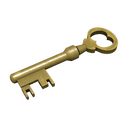
A Mann Co. Supply Crate Key has been Team Fortress 2's unit of account for years, which is why it has a price at all. Valve sells keys at a fixed price in the in-game store, and that price is the ceiling: nobody trading between players can charge more than the shop does for long. The floor is set by how many keys are already circulating and how badly people want to move them.

Our buy and sell prices sit either side of that market, and the gap between them is how the desk covers itself. Both numbers are on this page before you sign in, so you can compare them against anywhere else before deciding to trade here.

03

Before your first trade

You need a Steam account that can trade: no trade ban, no recent password reset, and Steam Guard Mobile Authenticator enabled for at least seven days. Steam enforces that, not us, and without it every offer you send or receive sits in a fifteen-day hold.

You also need your Steam trade URL, which is the address our bots send offers to. It is in your Steam inventory privacy settings, and we never need anything else: no password, no API key for a simple trade, no access to your account.

Questions about trading keys here.

Is there a minimum or a maximum number of keys?

There is no minimum beyond one key. The maximum is whatever our bots are actually holding, which is shown live on this page: if you want more keys than we have, the form will say so rather than taking the order and leaving you waiting.

Can I buy and sell in the same session?

Yes, they are separate orders and neither depends on the other. There is no reason to do both at once, though: buying and immediately selling back means paying the spread twice.

What happens if I do not accept the trade offer in time?

Steam expires an unaccepted offer and nothing moves. If you paid us and the offer expired, the order stays open and you can have it resent rather than losing anything. Nothing is ever settled on our side until the goods have actually changed hands.

Who is holding the keys while a trade is in progress?

Whoever held them before it started. A Steam trade offer is atomic: both sides move at the same moment or neither does. There is no window where we are holding your keys and you are holding nothing, because Steam does not offer one.

Which networks do you pay out on?

USDT or USDC on BNB Smart Chain or Polygon, whichever you pick at checkout. The coins go straight to the address you give us. We do not hold your money for you and there is nothing to withdraw afterwards.

Need help?